How to Improve WordPress Slider Performance and Accessibility
Website performance and accessibility are two important factors when building a modern WordPress website.
Sliders can create attractive visual sections, but poorly optimized sliders can also load unnecessary scripts and make websites difficult to navigate for some users.
Liyanit Responsive Slider is designed with both performance and accessibility in mind.
Why Slider Performance Matters
Every additional script and stylesheet loaded by a website can potentially affect page performance.
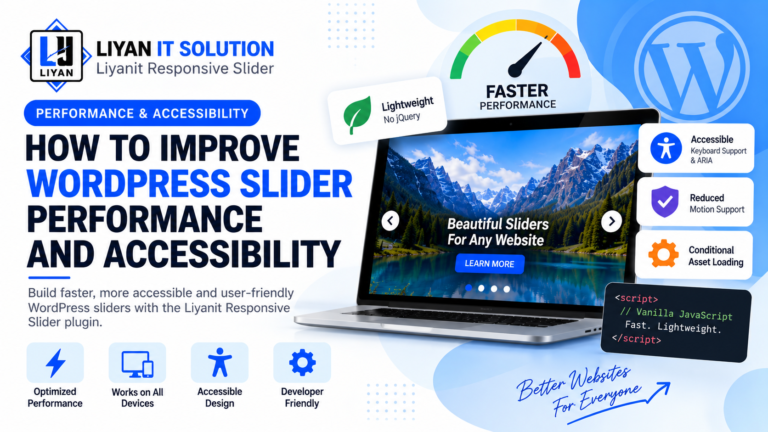
Instead of loading frontend resources everywhere, Liyanit Responsive Slider uses conditional asset loading so that slider-related assets can be loaded when sliders are actually rendered.
This helps avoid unnecessary frontend resources on pages that don’t use the slider.
Vanilla JavaScript Instead of jQuery
Another important feature is that the slider uses modern vanilla JavaScript rather than requiring jQuery.
This means the slider can operate without adding a separate jQuery dependency to the frontend.
For websites that aim to keep their frontend lightweight, avoiding unnecessary libraries can be beneficial.
Accessibility Features
Performance isn’t the only consideration.
A website should also be usable by visitors who navigate using keyboards or assistive technologies.
Liyanit Responsive Slider includes accessibility-focused features such as:
- Keyboard navigation
- ARIA attributes
- Visible focus states
- Pause controls
- Reduced-motion support
These features help make interactive slider content more accessible.
Keyboard Navigation
Not every visitor uses a mouse or touchscreen.
Keyboard navigation allows users to interact with slider controls using their keyboard.
This can improve usability for visitors who rely on keyboard-based navigation or assistive technologies.
Reduced Motion Support
Animations and transitions can be uncomfortable for some users.
The plugin provides reduced-motion support so that websites can respect user preferences related to motion.
This is especially important when using animated transitions or autoplay functionality.
Autoplay and User Experience
Autoplay can be useful for automatically displaying multiple slides, but it should be implemented carefully.
Liyanit Responsive Slider provides autoplay controls while also supporting navigation and pause functionality.
Developers can configure autoplay through shortcode attributes:
[liyan_gs_slider id="123" autoplay="true"]This gives website owners more control over how their slider behaves.
Customizing Transition Speed
Different websites may require different transition speeds.
The speed attribute allows developers to customize the transition timing.
Example:
[liyan_gs_slider id="123" speed="5000"]This allows you to adjust the slider behavior according to the design and content requirements of your website.
Better Frontend Architecture
The plugin follows an object-oriented and modular architecture, which helps separate different areas of functionality.
It also provides developer hooks and filters for developers who need more control over slider behavior and output.
Conclusion
A good WordPress slider should do more than simply display moving images.
Performance, accessibility, responsive behavior, and user experience should all be considered.
With vanilla JavaScript, conditional asset loading, keyboard navigation, ARIA support, pause controls, and reduced-motion support, Liyanit Responsive Slider provides developers with a practical foundation for building modern WordPress sliders.